‍

Teams

Enter a team

Join the movement

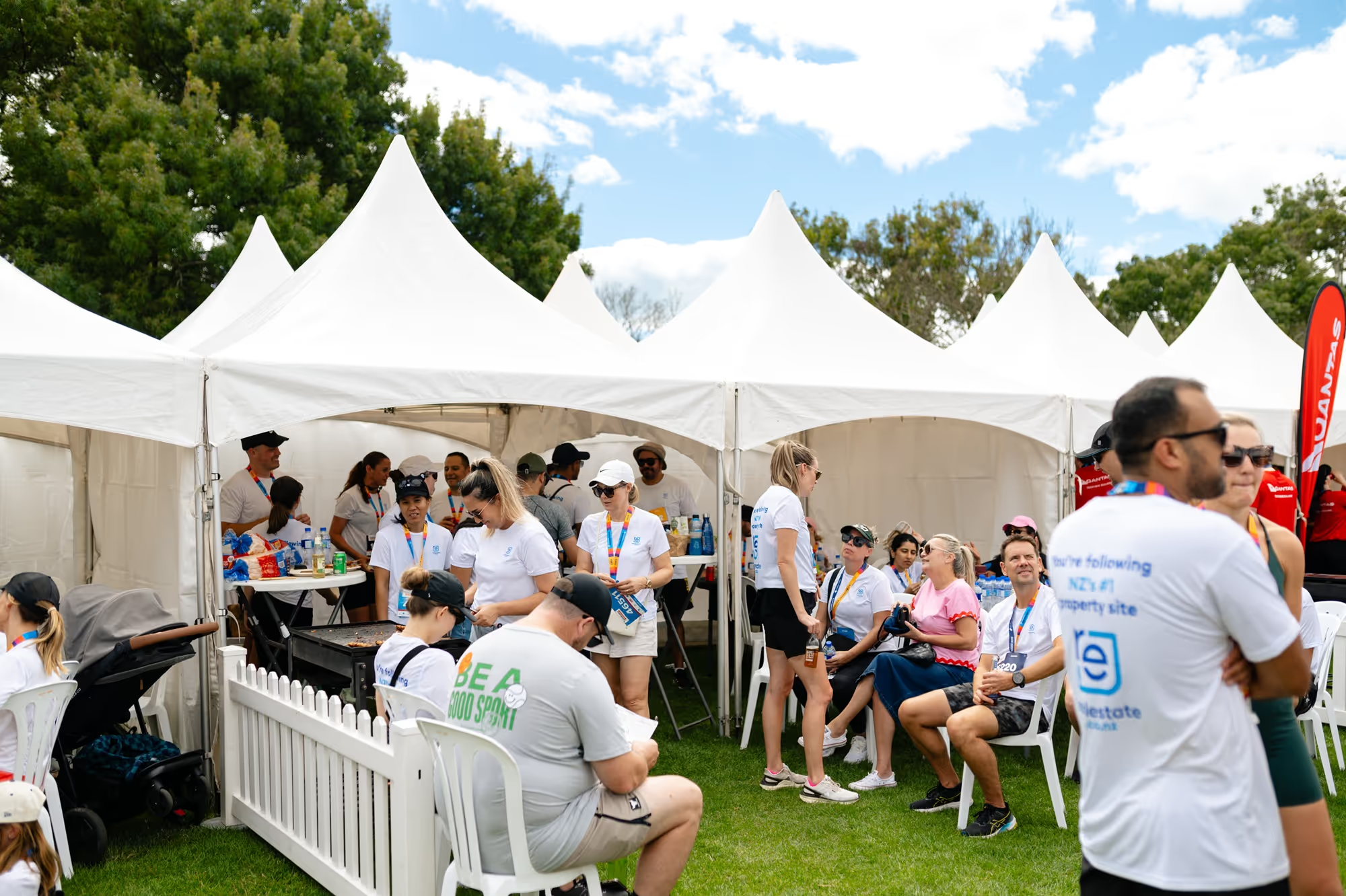
When participants take part, whether it's colleagues, friends, families or local run clubs, motivation goes up, connections deepen and engagement carries well beyond the finish line.

Everyone takes part at their own pace, and you all celebrate together at the finish line.

About round the bays

Wellington

Sunday 14 February

Christchurch

Sunday 21 February

Auckland

Sunday 7 March

Create your dream team.

We all know that things are better done together, so what are you waiting for?

Just follow these 5 easy steps to create your team online:

1. Choose your event location above
2. Complete the team entry form
3. Add a Hospo Package(s) and catering from Pita Pit to your booking
4. Rally the troops
5. Dress-up on event day in our 'Legendary' theme

Team Manager paying for team members' entries by credit card

This does not automatically include a Team Manager’s entry.

Team Managers must complete the team form and then purchase entry/gift codes for themselves and team members taking part on the course. 

Follow these steps to create your team online:

1. Select your event location above.

2. Complete the team form and select 'Yes' to purchase entry/gift codes for your team using a credit card.

Remember to include an entry/gift code for yourself as Team Manager if you are taking part on the course.

Not sure how many team members you will have? No problem. Purchase an initial batch of entry/gift codes now and buy more at a later date.

3. When you receive the confirmation email, scroll down the page and click on the Dashboard button.

4. On your Dashboard, click on the Teams tab and click on the Understanding & Agreements button and then agree to the 3 terms on the next page.

5. From your team's Dashboard, copy the Team Registration Link and entry/gift code, then send them both to your team members so that they can sign up without paying.

6. Team members click on the Team Registration link, complete their entry form and enter the entry/gift code on the Payments page. Team members must click the green Apply button to activate the entry/gift code.

As Team Manager, you will also need to follow this process if you are taking part on the course.

7. When team members click on the Submit button on the next page, they will receive a confirmation email and will automatically be added to your team.

8. From your team’s Dashboard, you can see who has signed up, transfer entries, pull a team list, send messages to your team and more!

9. Ensure all of your team members are signed up before the team cut off date. That way you can pick up your team's bibs together from Bib Collection. Team members who sign up after the deadline will need to pick up their own bibs. See team deadlines further down the page.


Team members paying for their own entries by credit card or promo code

This does not automatically include a Team Manager’s entry.

‍Team Managers must complete the team form first and then sign themselves up separately if they’re taking part on the course.

Follow these steps to create your team online:

1. Select your event location above.

2. Complete the team form and say ‘No’ to purchasing entry/gift codes for yourself and your team members.

3. When you receive the confirmation email, scroll down the page and click on the Dashboard button.

4. On your Dashboard, click on the Teams tab and click onthe Understanding & Agreements button and then agree to the 3 terms on thenext page.

5. From your team's Dashboard, copy the Team RegistrationLink and then send this to your team members so that they can sign up and pay for their own entries. Also, send them a promo code if one has been supplied.

6. Team members click on the Team Registration link,complete their entry form and make payment for their entry.

If team members have a promo code, they enter the promo code on the Payments and click on the green Apply button first. They then make payment (if required) in the Payment Information section.

7. When team members click on the Submit button on the next page, they will receive a confirmation email and will automatically be added to your team.

8. From your team’s Dashboard, you can see who has signed up, transfer entries, pull a team list, send messages to your team and more!

9. Ensure all of your team members are signed up before the team cut off date. That way you can pick up your team's bibs together from Bib Collection. Team members who sign up after the deadline will need to pick uptheir own bibs. See team deadlines further down the page.

Team Manager making part-payment towards team members' entries

This does not automatically include a Team Manager’s entry.‍

Team Managers must request an Access Code from the RTB team and complete the team form first. Then sign themselves up separately if they're taking part on the course.

Follow these steps if you are making a part-payment towards your team members' entries:

1. Email the RTB team at roundthebays@stuff.co.nz and request an Access Code. Please also provide the following information in your email:

  • Your team name
  • Which event you are taking part in
  • How many team members you will be paying for
  • How much you would like to pay towards each entry
  • Your company name and address, contact name, email and mobile number for invoicing purposes

2. Once approved, the RTB team will send you a link to the teams form, an Access Code for you to use to set up your team and a promo code to send to your team members to use when they sign up.

3. Click on the link to the teams form and enter your Access Code on the right hand side of the form.

4. Next, complete your team’s details, select ‘No’ to purchasing entry/gift codes and complete the form.

5. In the confirmation email, scroll down the page and click on the Dashboard button.

6. On your Dashboard, click on the Teams tab and click on the Understanding & Agreements button and then agree to the 3 terms on the next page.

7. From your team's Dashboard, copy the Team Registration Link and send it to your team members along with the promo code. That way, they can sign up and pay for their own entry at the discounted rate.  You will need to do this too as Team Manager if you're taking part on the course.

8. Team members click on the Team Registration link, complete their entry form and enter the promo code on the Payments page. Team members must click the green Apply button to activate the promo code.

9. When team members click on the Submit button on the next page, they will receive a confirmation email and will automatically be added toyour team.

10. From your team’s Dashboard, you can see who has signed up, transfer entries, pull a team list, send messages to your team and more!

11. Ensure all of your team members are signed up before the team cut off date. That way you can pick up your team's bibs together from Bib Collection. Team members who sign up after the deadline will need to pick uptheir own bibs. See team deadlines further down the page.

Team Manager paying for team members' entries by invoice

This option is available for invoice amounts $5000+ only. Amounts less than $5000 are payable by credit card.

This option also does not automatically include a Team Manager’s entry.

Team Managers must request an Access Code from the RTB team and complete the team form first. Then sign themselves up separately if they're taking part on the course.

1. Email the RTB team at roundthebays@stuff.co.nz and request an Access Code. Please also provide the following information in your email:

  • Your team name
  • Which event you are taking part in
  • How many team members you will be paying for
  • Your company name and address, contact name, email and mobile number for invoicing purposes

2. Once approved, the RTB team will send you a link to the teams form, an Access Code for you to use to set up your team and a promo code to send to your team members to use when they sign up.

3. Click on the link to the teams form and enter your Access Code on the right hand side of the form.

4. Next, complete your team’s details, select ‘No’ to purchasing entry/gift codes and complete the form.

5. In the confirmation email, scroll down the page and click on the Dashboard button.

6. On your Dashboard, click on the Teams tab and click on the Understanding & Agreements button and then agree to the 3 terms on the next page.

7. From your team's Dashboard, copy the Team Registration Link and send it to your team members along with the promo code. That way, they can sign up without having to pay for their entry. You will need to do this too if you're taking part on the course.

8. Team members click on the Team Registration link,complete their entry form and enter the promo code on the Payments page. Team members must click the green Apply button to activate the promo code.

9. When team members click on the Submit button on the next page, they will receive a confirmation email and will automatically be added toyour team.

10. The RTB team will send you an invoice for payment within 10 days. Payment needs to be received in full before any team bibs are issued.

11. From your team’s Dashboard, you can see who has signed up, transfer entries, pull a team list, send messages to your team and more!

12. Ensure all of your team members are signed up before the team cut off date. That way you can pick up your team's bibs together from Bib Collection. Team members who sign up after the deadline will need to pick up their own bibs. See team deadlines further down the page.

Group of people in blue event shirts raising hands outdoors on grass with water and trees in background.

Team sign up deadlines

Please ensure that your team members are all signed up in plenty of time so that your team bibs are ready to pick up from Bib Collection.

Team members who sign up after the deadline will need to pick up their own bib, as their bib will not be included in your team's pack.

Deadlines for your team's entries:

Wellington

5.00pm Friday 5 February

Christchurch

5.00pm Friday 12 February

Auckland

5.00pm Friday 26 February

‍

be a legend, enter a team


* NEW * for 2027. Have 50+ team members? Short on time? Get your team's bibs couriered to you before the event.

Fast track your bibs

From $50 incl GST. Just select the Fast Track Bibs option when you create your team online. Available to teams with 50+ team members only.

  • All team members need to be signed up before the deadlines below.
  • Your courier address needs to be included on your team sign up form (a physical address, no PO Box or Private Bag numbers).
  • Team members who have not signed up before the deadline will need to pick up their own bib from Bib Collection as their bib will not be included in your team pack.

Fast Track Bibs deadlines
Wellington - 5.00pm Friday 15 January
Christchurch - 5.00pm Friday 22 January
Auckland - 5.00pm Friday 5 February

This year, we’re going LEGENDARY.

55 years since the first Round the Bays hit the pavement , have a look at our hospitality options and how you can raise money for great causes.

A group of people wearing matching bright green shirts pose enthusiastically with arms raised in front of large green tents on a sunny day. The group looks joyful and united, likely participating in an outdoor event or activity.

Hospitality

Fun, fitness and an excuse for a team BBQ/after-party. Remember to book your Hospo Package(s) when you create your team online.

A smiling girl wearing a black cap and white shirt proudly shows off a medal labeled "Round the Bays" " She is sitting on the grass with a large tent and several people in the background.

Fundraising

Every step counts. Run for a reason and raise funds for our official 2027 Charity Partner, or a cause close to your team's heart.

Type name of image here